

Creatopy is now The Brief.

Creatopy is now The Brief.
Your YouTube banner is the first thing visitors see when they land on your channel — and it takes about 2 seconds for them to decide if your content looks worth their time. A polished banner signals professionalism. A blurry or outdated one sends potential subscribers elsewhere before they watch a single video.
A YouTube banner tool helps you create that header image without needing design skills or expensive software. This guide covers the exact dimensions you need, step-by-step creation workflows and how AI-powered features are changing what's possible for creators and marketing teams alike.
Think of your banner as your channel's storefront window. A clean, engaging design stops the scroll, signals quality, and convinces new visitors to step inside. A blurry or outdated one? It's like closing the door, encouraging potential subscribers to move on without a second look.
A strong YouTube channel banner does a few things at once:
YouTube displays banners differently depending on the device, which is why understanding dimensions matters before you start designing. The "safe zone" refers to the central area that appears on all screens. Anything outside that zone risks getting cropped.
| Device | Display area | Notes |
|---|---|---|
| Desktop | 2560 x 423 px | Full width visible |
| Tablet | 1855 x 423 px | Sides slightly cropped |
| Mobile | 1546 x 423 px | Center-focused safe zone |
| TV | 2560 x 1440 px | Full uploaded image |
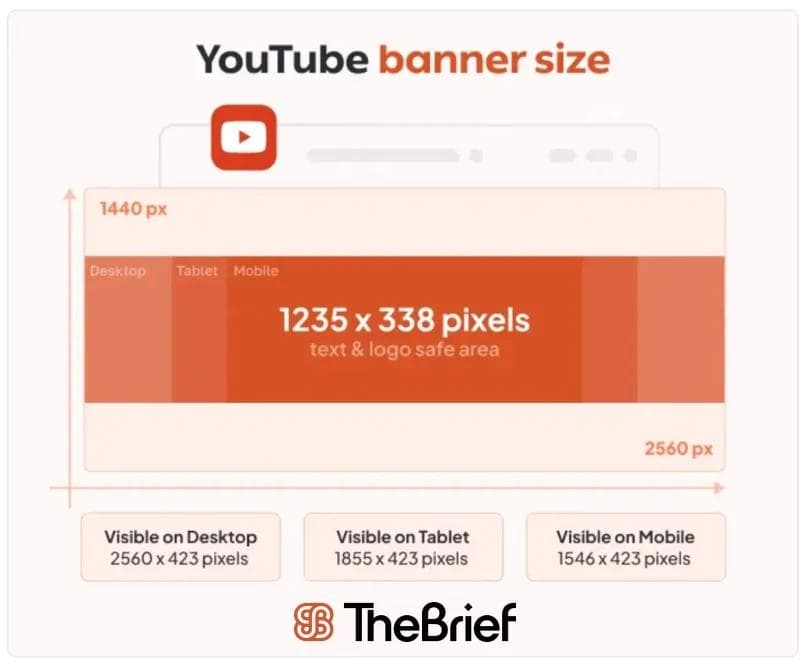
Desktop viewers see the widest version of your banner, though the top and bottom of the uploaded file still get trimmed. Background imagery has room to breathe here, so you can add more visual detail around the edges.
This central rectangle is where your logo, channel name and any text belong. Placing important elements outside this zone means they'll disappear on smaller screens, which matters since 90% of YouTube visits now come from mobile devices.
TVs display the entire uploaded image, including the corners. If you want to add decorative elements or extended background art, this is where viewers will actually see them.
The minimum upload size is 2048 x 1152 pixels, but 2560 x 1440 pixels delivers better clarity across devices. Keep the file under 6MB and stick to JPG, PNG or non-animated GIF formats.
Creating a banner doesn't take hours. Most YouTube banner makers follow a similar workflow, and once you know the steps, you can go from blank canvas to finished design pretty quickly.
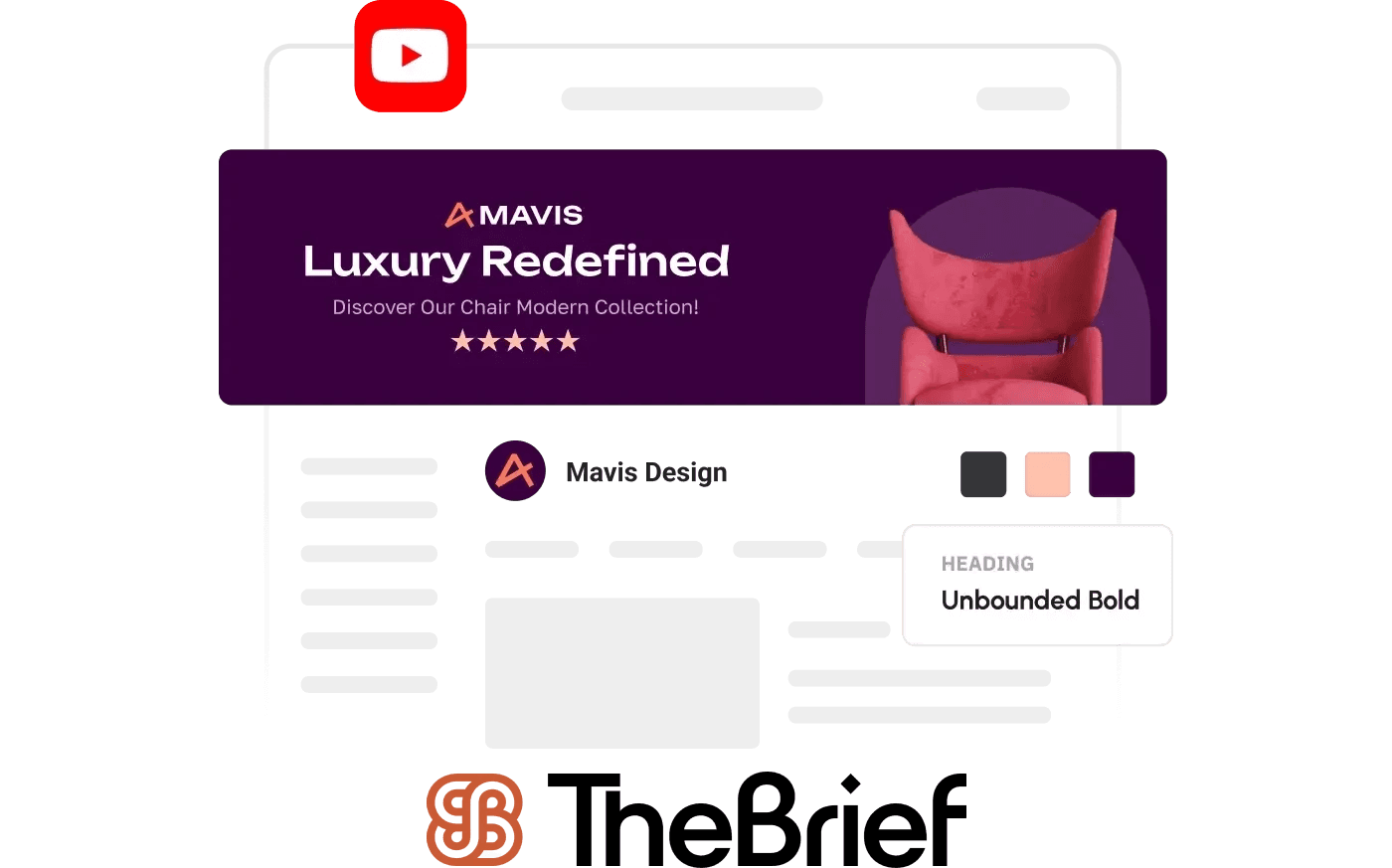
Templates come pre-sized with placeholder text and images, which removes the guesswork around dimensions. Starting with a blank canvas works well if you already have a specific vision in mind.
Grab your logo, icons or profile photo from your brand kit. Consistency matters here because your banner, thumbnails and profile picture all work together to create a cohesive channel identity.
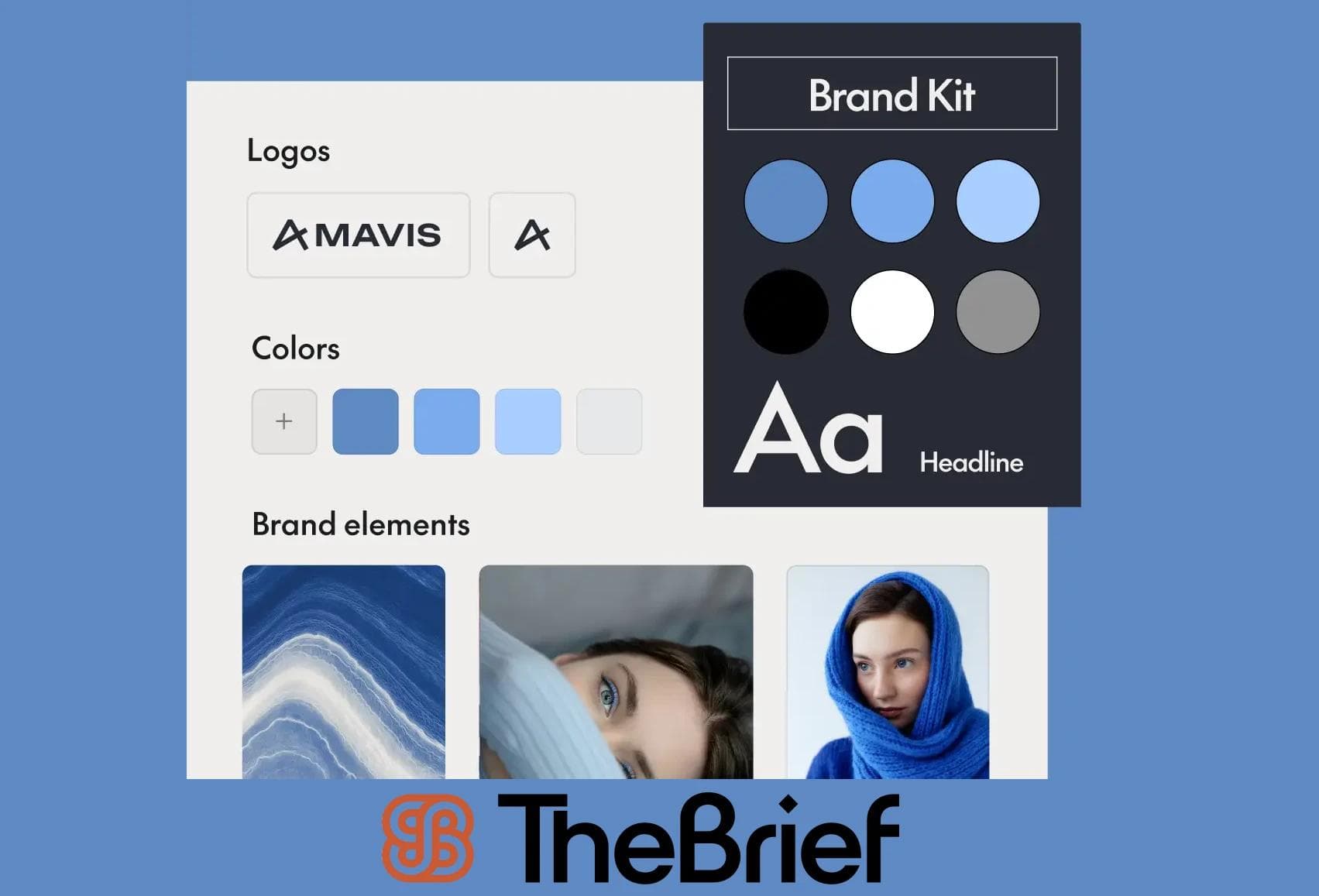
Adjust the background, typography and graphics to match your brand. The Brief offers stock image libraries, though uploading your own assets usually produces a more distinctive result.
Before downloading, check how the design looks on desktop, mobile and TV. This step catches cropping issues before they go live on your channel.
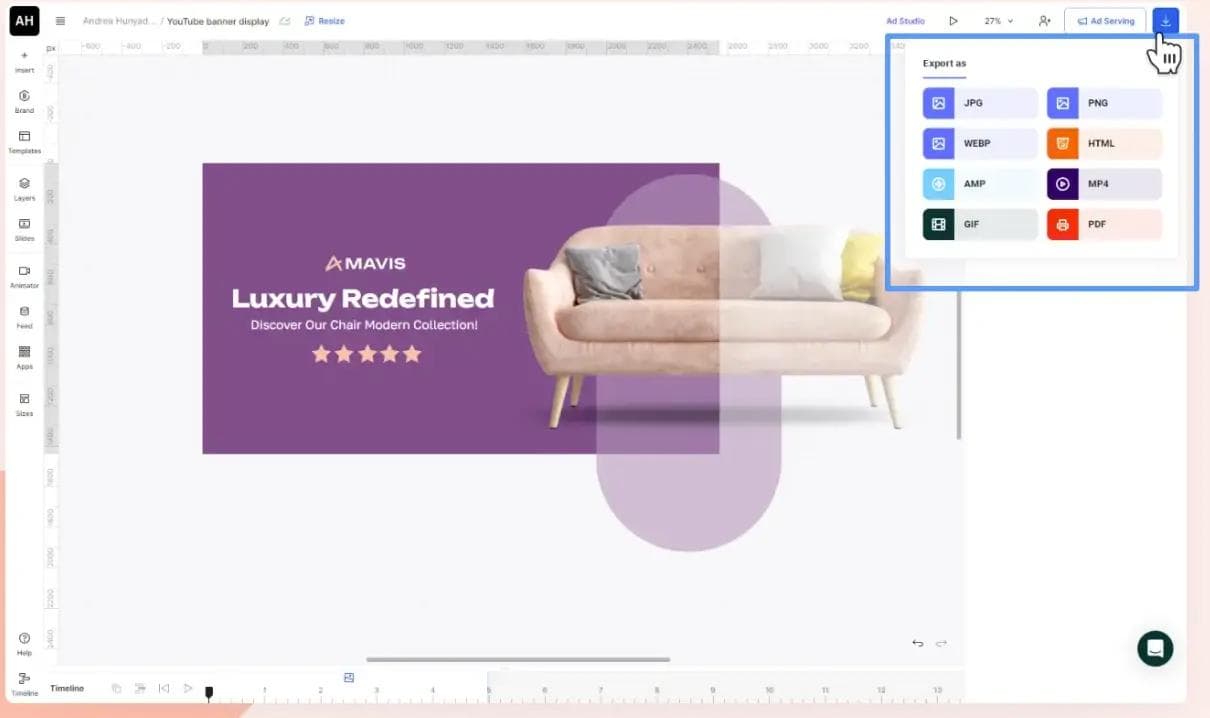
Export as PNG or JPG, then head to YouTube Studio to upload. The whole process can take less than 10 minutes once you're familiar with the workflow.
Traditional banner makers rely on manual adjustments for every element. AI-powered tools, such as The Brief, work differently. The Brief automates the repetitive tasks so you can focus on the creative decisions that actually matter.
Text-to-image AI lets you describe what you want, like "neon cityscape at night" or "minimalist gradient with geometric shapes," and generates unique visuals in seconds. No more hunting through stock photo libraries for something that almost works, plus 90% of marketers are already using generative AI in their workflows.
AI banner tools can automatically crop and scale your images to meet YouTube's specifications. This eliminates the trial-and-error of manual resizing and helps ensure nothing important gets cut off.
Some AI tools analyze your content niche or brand colors and recommend font pairings, color schemes and element placement. It's like having a design assistant who understands the basics of visual hierarchy.
Tip: Platforms like The Brief combine AI-powered design with brand asset management, so teams can generate on-brand banners at scale without starting from scratch each time.
The Brief's YouTube banner templates give you a professional starting point even if design isn't your strength. The templates are organized by category, which makes finding something that fits your niche straightforward.
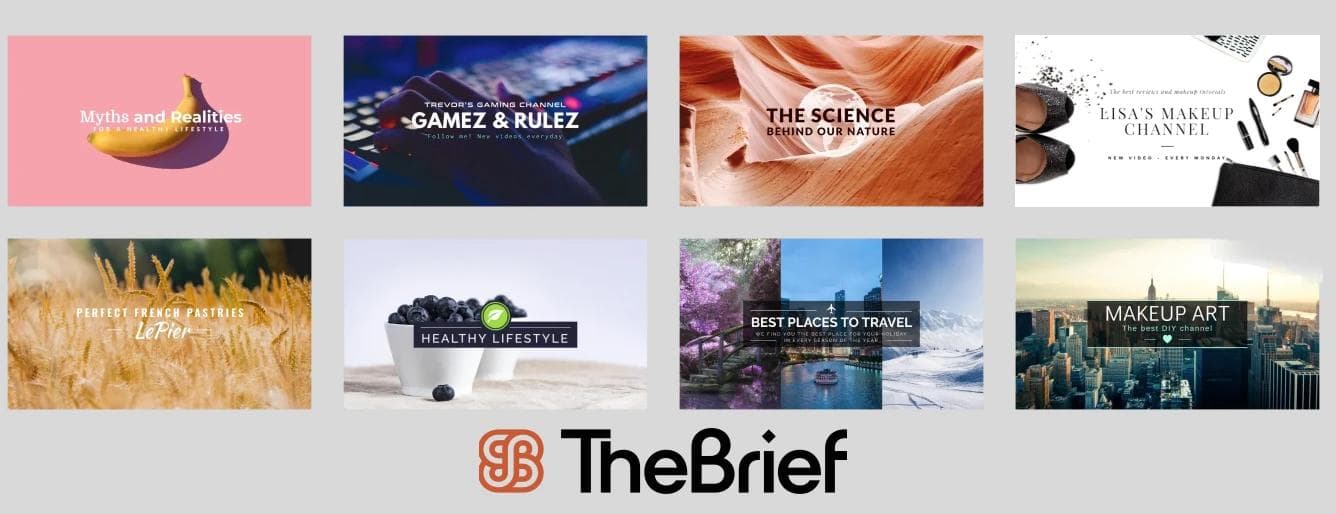
Gaming templates typically feature bold typography, dark backgrounds and neon accents. Many include dedicated space for gamer tags, stream schedules or social handles.
Business templates that have clean layouts with plenty of whitespace work well for corporate channels, product showcases and B2B content. The focus is on clarity and professionalism rather than flashy graphics.
For music templates expect audio waveforms, album art placeholders and sections for episode teasers. The designs lean into the audio-visual connection that music and podcast audiences expect.
For lifestyle templates pick bright colors, photo collages and personal touches define this category. The layouts feel approachable and authentic, which matches the tone of most lifestyle content.
Brand asset libraries let you store logos, fonts, colors and approved imagery in one place. This is especially useful for teams because anyone can create a banner that stays on-brand without waiting for a designer to review every draft.
Uploadable assets typically include:
For marketing teams managing multiple channels or campaigns, centralized asset management eliminates the "which logo file is correct?" problem entirely, especially important as organizations with consistent branding see 33% higher revenue.
Sometimes you already have the perfect image. It just isn't the right size. The Brief's resizing tool handle this specific use case without requiring a full design overhaul.
Import from your desktop, cloud storage or paste a URL directly.
Choose the YouTube banner preset to lock in the correct output size.
Reposition your image so critical elements fall within the mobile-safe zone. Preview tools help you catch problems before exporting.
Download as PNG or JPG at the highest quality setting. Your banner is now ready for upload.
A well-designed banner does more than look good. It encourages visitors to subscribe and explore your content.
Text that blends into the background disappears, especially on mobile where banners display smaller. High contrast keeps your channel name and tagline legible across devices.
Your logo, channel name and key messaging belong in the center. Placing them near the edges guarantees they'll get cropped on most devices.
Your banner, thumbnails and profile picture work together to create a first impression. Consistency across all of them signals a professional, established channel.
Updating your banner for a new video series, seasonal content or subscriber milestones keeps your channel feeling active. AI tools make frequent updates faster, so what used to take hours can happen in minutes.
Using a single platform for all your channel visuals such as The Brief, increases efficiency and keeps everything looking cohesive.
Your banner is one piece of the puzzle. Profile images, watermarks and other channel art elements all contribute to your overall brand presence.
The Brief offers tools like YouTube thumbnail creators, YouTube intro creators and YouTube ad creators. Designing all in the same tool keeps your visual language consistent across every touchpoint.
End screens and cards are interactive elements that can be styled to match your banner and thumbnails, creating a seamless viewer experience from first click to final call-to-action.
AI-powered YouTube banner creators remove the production bottlenecks that slow down channel growth. Instead of spending hours on design tasks, you can focus on content strategy and audience engagement.
For teams managing multiple channels or running frequent campaigns, platforms like The Brief offer scalable, on-brand creative production. Every banner, thumbnail and ad stays consistent without the manual grind.
PNG works best for banners with graphics and text because it preserves sharp edges. JPG is suitable for photographic backgrounds. Either way, keep the file under 6MB.
Refreshing your banner for new content series, seasonal campaigns or major milestones keeps your channel looking active. There's no fixed schedule. Update when you have something worth highlighting.
Yes. Templates and AI-powered tools are specifically built for users without design backgrounds. You can produce professional results by customizing pre-made layouts.
YouTube will either reject the image or display it stretched and pixelated. Always upload at least 2048 x 1152 pixels to avoid quality issues.
Let's put these insights into action. Build, scale, and automate campaigns with AI-powered workflows.


Robert Katai
Jan 29, 2021 - 9 min read


Beniamin Duca
Aug 12, 2025 - 3 min read

Jenna Black
Dec 18, 2025 - 12 min read