

Creatopy is now The Brief.

Creatopy is now The Brief.

Running Meta ads without the right tools is like trying to build a house with just a hammer. You can make progress, but you're working harder than you need to.
Meta's native Ads Manager handles the basics, but scaling campaigns, producing creative variations, and connecting performance to creative decisions requires more firepower. This guide covers the full landscape of Meta ads tools, from native options to third-party reporting, creative production, and AI-powered solutions that help marketing teams move faster.
Meta Ads Manager is the free platform where you create, manage, and track paid ads across Facebook, Instagram, Messenger, and Audience Network — platforms that capture 60% of US social ad spending. It's Meta's all-in-one tool for building campaigns, setting budgets, defining audiences, and measuring results from a single dashboard.
For most marketers, Ads Manager is where everything starts. You can launch your first campaign in under an hour, though getting comfortable with all the features takes longer. The interface handles everything from simple boosted posts to complex campaigns with custom audiences and conversion tracking.
Meta offers several free tools beyond Ads Manager, and each one serves a different purpose. Knowing what's already available helps you avoid paying for features you can access for free.
Business Suite is your central hub for managing Facebook and Instagram business accounts together. You can schedule organic posts, respond to messages, view basic insights, and run simple ad campaigns without opening Ads Manager. Small businesses often find it easier to manage everything from one place.
Here's something that trips people up: Facebook Ads Manager and Meta Ads Manager are the same tool. Meta just rebranded it. This is where you build campaigns from scratch, set targeting, manage budgets, and dig into performance data. If you're running paid ads on Meta platforms, you'll spend most of your time here.
Creative Hub works like a mockup studio for your ads. You can design and preview how ads will appear across different placements before spending any money. It's particularly helpful when you want client or stakeholder approval before going live.
For businesses selling physical products, Commerce Manager handles your product catalog, inventory syncing, and dynamic product ads. It connects your store data to your advertising, so ads can automatically show relevant products to interested shoppers.
Events Manager is where you set up and monitor the Meta Pixel and Conversions API. The Pixel is a small piece of code on your website that tracks what happens after someone clicks your ad. Without proper event tracking, you're essentially guessing about campaign performance.
Native tools work well for getting started, but they weren't built for scale. Once you're managing multiple campaigns, producing dozens of creative variations, or reporting to stakeholders regularly, the limitations show up fast.
Here's where most teams hit friction:
A thriving ecosystem of third-party tools exists because of gaps like this. The question isn't whether you'll eventually want additional tools. It's which ones solve your specific bottlenecks.
Third-party tools generally fall into four categories. Understanding the distinctions helps you avoid buying overlapping solutions or missing a category entirely.
Reporting tools pull data from Ads Manager and present it in visual dashboards you can share with stakeholders. They save hours of manual spreadsheet work and make performance trends easier to spot at a glance.
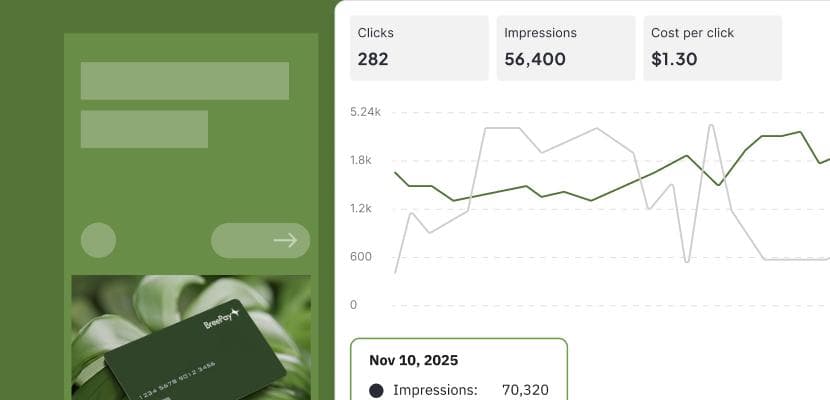
Creative tools solve the design bottleneck by automating asset creation, resizing, and organization. Instead of waiting on designers for every variation, marketing teams can produce compliant creative at scale.
Automation tools handle repetitive campaign management tasks based on rules you define. They adjust bids, reallocate budgets, and pause underperformers automatically. Teams managing high volumes of campaigns find them especially valuable.
AI tools use artificial intelligence to generate ad copy, images, and video variations. They enable rapid creative testing without overwhelming your design resources, though quality varies significantly between platforms.

Not every tool requires every feature. The right approach is focusing on capabilities that address your actual pain points rather than chasing feature lists.
Look for drag-and-drop report builders that create shareable, visual summaries. The best tools let you white-label reports and automate delivery to stakeholders on a schedule.
Basic metrics tell you an ad performed well. Creative analytics tell you why. Look for tools that connect specific elements like headlines, images, and calls-to-action to performance outcomes.
Your Meta ads tool ideally connects directly to the Marketing API and supports other platforms like Google and TikTok. Integration with your CRM, analytics platform, and project management tools matters too.
Bulk editing, automated resizing, and triggered actions based on performance thresholds dramatically reduce manual work. Even simple automation, like pausing ads below a certain return on ad spend, saves significant time over weeks and months.
For enterprise teams and regulated industries like pharma or finance, features that enforce brand guidelines and approval workflows aren't optional. Look for template locking, asset libraries, and audit trails.
Delayed reporting means delayed decisions. Tools with live data access let you catch problems and opportunities faster than tools relying on daily or hourly syncs.

| Tool | Best for | Key strength |
|---|---|---|
| Motion | Creative analytics | Connects creative elements to performance |
| Madgicx | AI insights | Automated recommendations |
| AdEspresso | A/B testing | Easy split test management |
| DashThis | Client reporting | White-label dashboards |
| Triple Whale | E-commerce | Full-funnel attribution |
| Whatagraph | Agencies | Multi-client reporting |
Motion specializes in creative analytics, breaking down which visual elements and messages actually drive performance. Teams running high volumes of creative variations find it particularly useful for understanding what's working and why.
Madgicx is an AI-powered platform that analyzes your account and recommends specific actions to improve performance. It offers audience insights and automated optimization suggestions based on your data.
AdEspresso simplifies A/B testing with an intuitive interface that makes split testing accessible to smaller teams. It's been a popular choice for years among small to mid-sized advertisers who want to test without complexity.
DashThis focuses on automated, white-label reporting dashboards. Agencies managing multiple clients appreciate the ability to create branded reports that update automatically without manual work.
Triple Whale is built specifically for e-commerce, connecting ad spend to revenue across the full customer journey. It's become essential for direct-to-consumer brands trying to understand true attribution beyond last-click.
Whatagraph consolidates data from multiple sources into unified reports. Agencies juggling many client accounts across different platforms find it valuable for keeping everything organized.
Creative production is often the biggest bottleneck in scaling Meta advertising. Each of the following tools approaches the problem differently.
The Brief automates the entire creative production workflow, from initial brief to launch-ready assets. It generates on-brand ad variations at scale, connects creative directly to performance data, and eliminates the manual resizing and handoffs that slow teams down. For organizations producing high volumes of compliant, data-informed creative, it replaces fragmented workflows with one connected system.
Celtra is an enterprise creative automation platform focused on producing and scaling dynamic ad content across channels. It's built for large organizations with complex creative requirements and multiple markets.
Canva offers accessible design tools with templates specifically for social ads. It's a practical option for teams without dedicated designers who want to produce decent-looking creative quickly.
Smartly combines creative automation with campaign management and optimization in one platform. It positions itself as an end-to-end solution for performance marketing teams.
AdCreative.ai uses AI to generate ad creative variations based on performance predictions. It focuses specifically on the generation side rather than full workflow automation.
AI tools are evolving rapidly. The best ones go beyond simple generation to integrate with your broader workflow and maintain brand consistency.
The Brief provides an intelligent system that orchestrates creative production, maintains brand compliance, and connects outputs directly to ad platforms. Rather than just generating assets, it automates the busywork across the entire campaign lifecycle. The result is more time for strategy and ideas that actually move results.

AdCreative.ai generates conversion-focused ad creatives using AI trained on high-performing ads. It's useful for teams that want quick creative variations without dedicated design resources.
Pencil creates video and static ad variations using AI, with performance prediction scoring to help prioritize which variations to test first.
Predis.ai is an AI content generator for social media ads with automated copy and creative suggestions. It's positioned as an accessible entry point for smaller teams just getting started with AI-assisted creative.
Selecting the right tools comes down to honest assessment of where you're actually stuck. Here's a practical framework:
The goal isn't to collect tools. It's to eliminate friction so your team can focus on the strategic work that actually drives results.
The right tools transform fragmented, manual workflows into systems that learn and improve with each campaign cycle. Instead of spending hours on production tasks, your team can focus on strategy, creative direction, and optimization.
The Brief brings creative production, brand compliance, and performance insights together in one intelligent platform, so every campaign gets sharper with less effort. Get started
Yes, $10 daily can work for testing creative concepts and running small local campaigns. However, larger budgets provide more data for optimization and enable broader reach. Most advertisers find $20-50 daily is the minimum for meaningful learning about what works.
Meta Ads Manager is specifically for creating and managing paid advertisements with full campaign controls. Meta Business Suite is a broader dashboard that includes organic content management, messaging, and simplified ad features. Think of Business Suite as the general-purpose tool and Ads Manager as the advertising specialist.
Yes, most third-party Meta ads tools integrate via Meta's Marketing API. This allows them to pull performance data, push creative assets, and automate campaign management while you maintain control through the native platform.
Meta's native tools, including Ads Manager, Business Suite, Creative Hub, and Events Manager, are all free and provide solid foundational capabilities. For teams just starting out, native tools handle most basic advertising requirements without additional cost.
Third-party tools automate the production of multiple ad variations and connect specific creative elements to performance metrics. This makes it faster to identify winning combinations and understand why certain creative outperforms others. Native reporting makes extracting insights like this difficult and time-consuming.
Let's put these insights into action. Build, scale, and automate campaigns with AI-powered workflows.

