Manual work kills efficiency and your competitive edge. Non-design teams stall while designers drown in requests. Worse, many teams don’t realize automation already exists — or they never tap its full power.
AI banner generators changed the game. Teams that once waited days for a designer to produce format variations now generate hundreds of on-brand assets in minutes. The bottleneck isn't creative capacity anymore—it's knowing which tools actually deliver on that promise.
Here's our analysis of the top AI banner generators for 2026—what they do well, where they fall short, and which teams they're actually built for.
Key takeaways
- Efficiency: AI banner generators eliminate manual resizing and design bottlenecks, allowing teams to scale ad production instantly.
- Top Pick: The Brief is highlighted for its ability to automate repetitive tasks and generate multiple ad variations from data feeds.
- No-Code Solutions: Most 2026 tools (like Simplified and Appypie) focus on user-friendly, drag-and-drop interfaces that require zero design or coding skills.
- Brand Consistency: Advanced tools now include "Brand Kits" to ensure AI-generated content automatically aligns with company logos, colors, and fonts.
- Multilingual Support: Platforms like The Brief support over 72 languages for global campaign reach.
1. The Brief
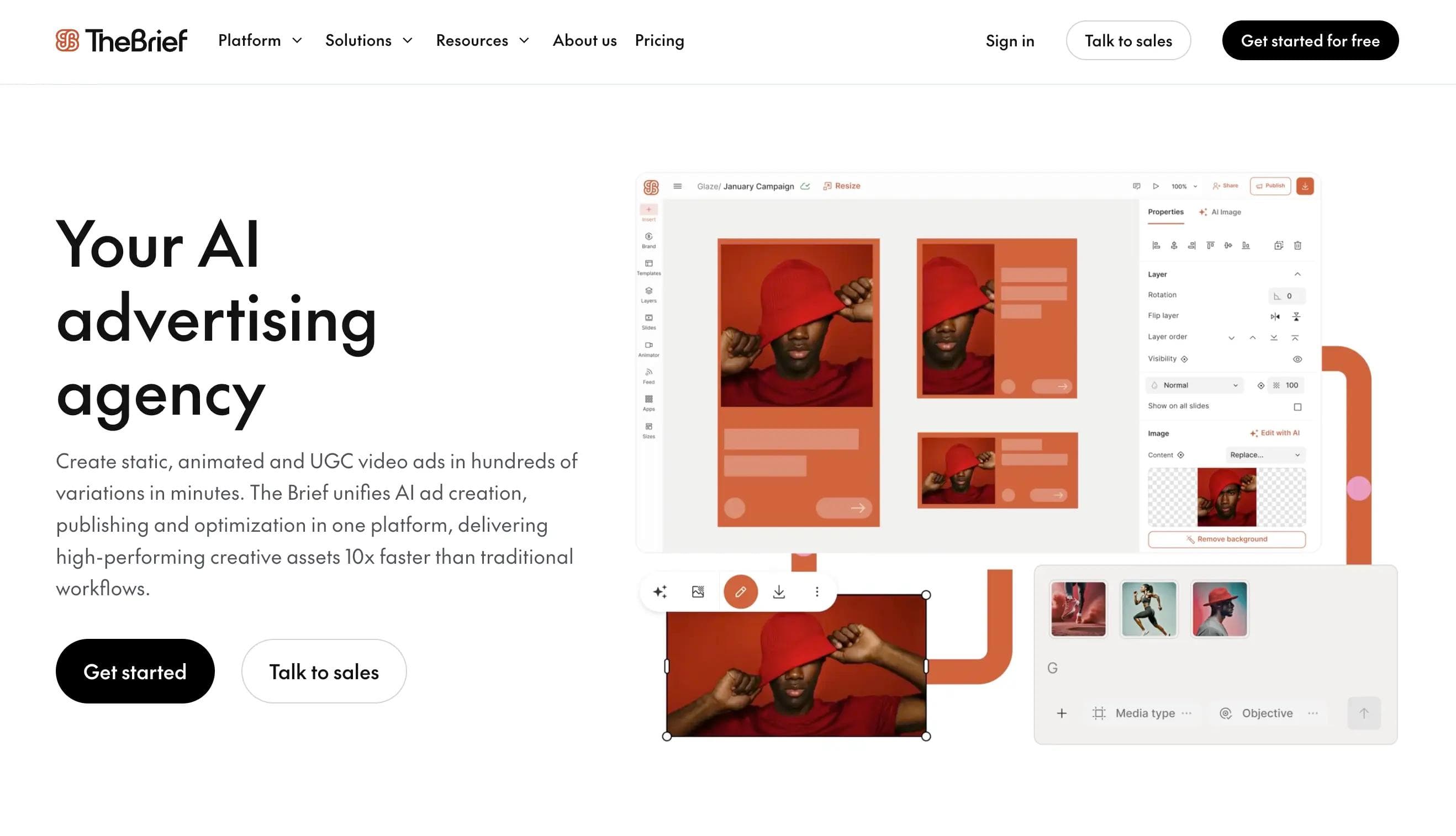
The Brief empowers anyone — designer or not — to create on-brand social and display ads in seconds. Simply drop a prompt, and our AI agents spin up polished banner concepts before you can refill your coffee.
Start with templates sized for every major ad network—Google, Meta, LinkedIn, TikTok—or build from scratch. Connect your brand assets once, then generate hundreds of on-brand variations in minutes. Every output stays compliant with your guidelines, automatically.
Resize one design into every format you need—display, social, video—in one click. Connect your product feed and generate personalized variants for every SKU, market, or audience segment. What used to take your team days now takes minutes.
Animation isn't a nice-to-have anymore—it's table stakes for stopping the scroll. Build animated ads that perform without touching code, then test motion variants against static to see what actually drives clicks.
Beyond social and display ads, you can also use The Brief as a YouTube banner maker to design cohesive channel visuals that align with your branding across platforms — ideal for creators who want professional, on-brand graphics without needing advanced design skills.
Key Features
- AI Banner Maker: Generate campaign-ready banners in every size you need from a single prompt. The AI understands your brand guidelines and produces variations that stay on-strategy while testing different creative angles.
- Multiple Banner Sizes in One Go: Generate banners for different social media platforms and ad formats with just a few clicks, ensuring consistent branding across your marketing channels.
- Easy Customization: Personalize the generated banners with your brand colors, logos, images, and text using the user-friendly drag-and- drop editor.
- Premium Assets: Access a library of high-quality stock photos, audio, and stickers to enhance your banner visuals at no additional cost.
- Collaboration: Share designs with team members for feedback and finalization, streamlining the workflow.
- Optimized creative performance: Boost campaign performance. Make informed decisions and adjust your ads in real-time for enhanced effectiveness
Benefits
- Speed Without Compromise: Launch campaigns in hours, not weeks. Your creative team focuses on strategy and high-concept work while The Brief handles production, resizing, and localization—automatically maintaining brand standards across every output.
- Streamlined Workflow: Generate multiple banner sizes at once and collaborate with team members seamlessly within the platform.
- Enhanced Brand Consistency: Maintain a cohesive visual identity across your social media presence with easy brand element integration. The Brief goes beyond social media ads – it also helps you generate display ads.
- Cost-Effective Design Solution: Access to free stock assets, the latest AI image and video generating models, and a user-friendly interface eliminates the need for expensive design software or freelancers.
Considerations
- Platform Depth: The Brief offers enterprise-grade capabilities across the full campaign lifecycle. Teams see immediate value from core features, while advanced automation and AI agents deliver compounding returns as you integrate them into your workflows.
2. Simplified
- Simplified positions itself as a no-code marketing app, which allows for designing anything from social media posts to ads and videos in one place. Publishing and team collaboration is made directly online.
Its AI banner maker streamlines banner creation for social media platforms (Youtube, FB, LKin, Twitter and Twitch), offering a range of designer-made templates that are customizable.
Access to premium stock assets, including videos, icons, and stickers come at no extra charge.
Key Features:
- Extensive Template Library: Choose from a vast collection of designer-made templates specifically sized for each platform, ensuring flawless visuals.
- Intuitive Drag-and-Drop Editor: No design experience needed! The user-friendly interface allows for effortless customization with drag-and-drop functionality.
- AI-Powered Design Assistants: Simplified Banner Maker boasts innovative AI tools like Text-to-Image, and AI Writer, helping you create stunning designs in record time.
- Seamless Collaboration: Streamline your workflow by sharing designs with teammates for real-time editing and finalization.
- Direct Publishing Power: Publish your finished banners directly to your social media platforms from within the app. Additionally, export designs to your computer for versatile use.
Benefits:
- Effortless Social Media Banner Creation: Craft eye-catchy banners for various platforms without needing extensive design knowledge.
- Enhanced Brand Consistency: Maintain a cohesive visual identity across all your social media channels with the vast template library and customizable options.
- Time-Saving Efficiency: AI-powered design tools and an intuitive interface streamline the design process, saving you valuable time.
- Streamlined Collaboration: Real-time collaboration features facilitate easy teamwork on banner creation.
- Versatile Use: Directly publish to social media or export your designs for complete creative control.
Considerations:
- Storage Limitations on Free Plan: The free plan offers 1GB of storage, which may be insufficient for creators with extensive design needs.
3. Predis.AI
Predis.AI serves designers, creators and entrepreneurs (as they state it on their website) by offering an AI banner maker tailored for bloggers looking to enhance their website's visual appeal without going into the design complexities.
The tool leverages images from copyright-free concerns like sources Unsplash and Pexels.
The built-in editor allows for changing templates, colors, and adding elements with low to minimal effort.
Key Features:
- AI-Powered Design Assistant: Craft stunning blog headers and banners with minimal effort. Predis.ai's AI tailors designs based on your blog title and desired aesthetics.
- Extensive Template Library: Explore a wide range of customizable templates covering various blog niches to find the perfect match for your site's style.
- Built-in Editing Tools: Effortlessly personalize your banners with a user-friendly editor. Change templates, colors,and add elements with a few clicks.
- Free Copyright-Free Images: No copyright concerns! Predis.ai integrates stock photos from Unsplash and Pexels,ensuring worry-free image usage.
Benefits:
- Professional-Looking Banners in Minutes: Create high-quality blog visuals without extensive design knowledge thanks to AI-powered assistance and pre-designed templates.
- Streamlined Design Workflow: The intuitive editor and AI-driven customization automate repetitive tasks, saving you valuable time.
- Cost-Effective Visual Content Creation: The free plan offers access to core features, making it for bloggers a budget-friendly option.
- Wide Range of Design Elements: Personalize your banners with a vast library of icons and styles to match your unique brand identity.
Consideration:
- Template-Based Design: While offering a diverse range, creativity might be limited to some extent by the use of pre-designed templates.
4. Appypie
Appy Pie promises a suite of text-to-image generators with its banner maker as the star student. With minimal effort, you can create professional-looking banners, allowing personalization from color schemes and fonts to unique design elements true to your brand.
Key Features:
- AI-Powered Design Inspiration: Turn your creative ideas into captivating blog banners in minutes. Appy Pie's AI uses your prompts to generate unique and visually stunning designs.
- Extensive Template Library: Over 100 professionally designed templates provide a perfect starting point for customization. Find a base that aligns with your blog's theme and brand identity.
- Intuitive Drag-and-Drop Editing: The user-friendly interface allows for effortless customization. Drag and drop elements, personalize text, fonts, and colors to create a truly unique banner.
- Complete Brand Control: No watermarks, Appy Pie prioritizes user ownership.
- Seamless Collaboration: Collaboration features facilitate teamwork, allowing colleagues to contribute and finalize the banner design.
Benefits:
- Effortless Banner Creation: Craft eye-catching blog visuals quickly and easily, even without design expertise. The AI and pre-designed templates streamline the process.
- Enhanced Blog Presentation: High-quality, customized banners elevate your blog's visual appeal and can potentially attract more visitors.
- Cost-Effective Design Solution: The affordable pricing plans make Appy Pie's AI Banner Maker a budget-friendly option for bloggers.
Consideration:
- Template Selection: While the library boasts a large number of templates, it might not cater to highly specific or niche design needs.
5. Banner Boo
With an entire library of templates to streamline the design process Banner Boo helps you create, automate and accelerate rich-media ad campaigns.
Compared to other creative platforms, the focus is built around non-standard high impact innovative ad formats and allows them to build them from the ground up, too.
Key Features:
- AI-Powered Animation & Resizing: Dynamic animated ads effortlessly. BannerBoo's automation streamlines the process, allowing it to generate and resize ads for various platforms in minutes.
- Drag-and-Drop Editing: No coding required, the user-friendly online editor empowers anyone, regardless of technical skill, to design stunning banners with intuitive drag-and-drop functionality.
- Extensive Template Library: Discover a vast collection of customizable templates designed for different industries and social media sizes. Find the perfect starting point and personalize it to match your brand.
- Seamless Publishing: Export your finished ads directly to any ad network or social media platform for swift publishing and campaign launch.
Benefits:
- Effortless Banner Creation: Craft high-impact animated ads in record time, even without design expertise.BannerBoo's AI and user-friendly interface make it accessible for everyone.
- Increased Engagement: Eye-catchy animations grab attention and boost user engagement with your ads on social media and other digital platforms.
- Streamlined Workflow: Save valuable time with automation features for animation and resizing. Focus on your marketing strategy while BannerBoo handles the technical aspects.
Consideration:
- Learning Curve: While beginner-friendly, exploring all the features might require some initial familiarization for new users.
6. Piktochart
Piktochart’s AI banner maker was created with both novice and seasoned professionals in mind. Its versatile data visualization tool helps you create banners with ease. The whole design process is simplified through a vast library of customizable templates to fit any brand’s aesthetic.
The user-friendly interface allows to quickly transform ideas into professional-looking visuals, no extensive graphic design experience needed.
This tool is more suited for smaller businesses, content creators and marketers who might lack design-related human resources or skills.
Key Features:
- AI-Powered Design Assistant: Craft professional banners in seconds! Piktochart's AI suggests relevant templates and layouts based on your topic, providing a perfect starting point for customization.
- Extensive Template Library: Discover a wide range of customizable templates tailored for various online platforms like YouTube, Facebook, and more. Find the ideal base that aligns with your project's needs.
- Intuitive Drag-and-Drop Editing: No design expertise required! The user-friendly interface allows effortless personalization. Drag and drop elements, customize text, fonts, and colors for a unique and branded banner.
- Fast Design Workflow: Time is precious! Piktochart's AI technology generates a banner in just 10 seconds,streamlining the design process and allowing you to focus on your content.
- Flexible Export Options: Download your finished banner in various formats including JPG, PNG, and PDF for seamless integration into your online presence.
Benefits:
- Effortless Visual Content Creation: Craft professional-looking banners quickly and easily, even without design experience. The AI-powered features and user-friendly interface make it accessible for everyone.
- Enhanced Brand Consistency: Maintain a cohesive visual identity across your online channels. Piktochart's customizable options allow you to tailor each banner to your specific brand aesthetics.
- Increased Efficiency: Save valuable time on design tasks with AI suggestions and quick banner generation. Focus your energy on creating impactful content.
Consideration:
- Limited Advanced Editing: While offering robust customization options, Piktochart might not cater to the need for complex, highly specialized edits required by some design professionals.
7. Sivi.AI
Sivi AI is a generative AI tool specifically for creating marketing and social media visuals. Unlike general AI image generators or template-based design platforms, it uses its own Large Design Model (LDM) to produce complete, multi-layered graphic designs from text prompts or uploaded content. Its key functions include generating template-free designs for various formats (like ads and banners), applying user-provided brand assets for consistency, and supporting creation in over 70 languages. It is targeted primarily at marketers, small businesses, and content creators for rapid production of on-brand assets.
Key Features:
- Generative AI Design: Break free from templates! BannerGen utilizes cutting-edge AI to create custom banners from scratch, ensuring a unique and distinctive look for each design.
- Universal Banner Creation: Design flexibility at your fingertips! Generate banners in any size or format, perfectly tailored for various platforms and content types, whether it's YouTube, social media, email marketing, or blog headers.
- Seamless Brand Integration: Maintain a cohesive brand identity effortlessly. BannerGen allows for integration of comprehensive brand kits, including logos, colors, and fonts, for consistent visuals across all your banners.
- A/B Testing Powerhouse: Optimize your banners for maximum impact with a multitude of design and content variations. Test different options and identify what resonates best with your audience.
- Intuitive Editing Suite: Customize every detail with ease. The user-friendly editor provides controls for text,colors, fonts, images, and more. Plus, leverage the content generator for instant text suggestions and inspiration.
Benefits:
- Creative Vision Unlocked: Go beyond templates and create truly unique banners that reflect your brand identity perfectly. AI-powered design empowers you to bring your ideas to life.
- Design Versatility for Any Need: Craft banners in any size or format to perfectly match your specific requirements across various online platforms and marketing channels.
- Enhanced Brand Consistency: Ensure a unified visual presence across all your marketing materials. Seamless brand integration streamlines design and maintains brand recognition.
- Data-Driven Optimization: Don't just guess! Test different design variations using A/B testing features to identify the most impactful and engaging banner options for your audience.
Consideration:
- Customization Complexity: The extensive customization and variation options might be overwhelming for users seeking a quick solutin. If you need simple banners fast, this might not be the ideal choice.
- Optimizing AI Inputs: Learning how to effectively communicate your design preferences to the AI tool might require some practice.
8. MotionElements
MotionElements is a stock media marketplace primarily focused on royalty-free video, audio, and motion graphics templates. It offers over 26 million assets, including stock footage, After Effects templates, music, and images, which users can access through a pay-per-item model or an unlimited subscription. A key part of its offering is a suite of generative AI tools for tasks like text-to-video generation, scriptwriting, and image editing.
Key Features:
- Bulk Banner Generation: Produce 20 stunning banner ads in under a minute! MotionElements streamlines the process for advertisers seeking efficiency and effectiveness.
- Pre-Sized Templates: Hit the ground running with pre-loaded, top-performing banner sizes for various ad platforms. Plus, customize the experience by adding unique formats like Skyscrapers and Leaderboards.
- Real-Time Mass Editing: Make adjustments to all your banners simultaneously. This ensures brand consistency and saves valuable time by eliminating repetitive edits.
- One-Click Download Power: Export all your finished banners for major ad platforms in a single click. This simplifies distribution and expedites your campaign launch.
- Multilingual Design Flexibility: Design for a global audience! MotionElements supports Google Fonts and your system's installed fonts, including those in East Asian languages.
- Icon Font Integration: Easily incorporate popular icon fonts into your banners, unlocking additional design possibilities and enhancing visual appeal.
Benefits:
- High-Volume Banner Creation: Craft multiple banner variations in record time, ideal for A/B testing and optimizing ad campaigns.
- Ensure Brand Consistency: Maintain a cohesive visual identity across all your banners with real-time mass editing features.
- Streamlined Workflow: Save valuable time and resources with bulk generation, one-click downloads, and intuitive editing tools.
- Global Design Capabilities: Reach audiences worldwide with native language support and a vast font library.
Consideration:
- Tailored for Beginners: While user-friendly, advanced design professionals might find the customization options somewhat limited compared to specialized design software.
9. Freepik
Freepik itself doesn't exactly have an AI banner generator. However, it provides a vast library of banner templates and vector illustrations that you can use to design your own banners.
Some design platforms integrate with Freepik to offer AI-powered tools alongside Freepik's resources for creating banners.
Key Features:
- Massive Creative Library: Unlock a treasure trove of over 100,000 AI banner designs, vectors, and high-quality stock photos. Find the perfect starting point or design element to ignite your creativity.
- Uncompromising Quality: Freepik prioritizes exceptional asset quality. All resources meet strict standards for both commercial and personal use projects.
- Effortless Search: Locate the ideal assets quickly with a user-friendly search functionality. Find exactly what you need to bring your banner design to life.
- Flexible Licensing: Enjoy a mix of free and commercially usable resources. Freepik offers options to empower your design projects with proper licensing.
Benefits:
- Spark Your Creativity: Jumpstart your design process with a vast collection of inspiring AI banner designs and high-quality visual elements.
- Guaranteed Quality Standards: Ensure your banners look polished and professional with confidence, knowing all assets meet rigorous quality control.
- Efficient Workflow: Save time searching for resources with a user-friendly search function that helps you find the perfect design elements quickly.
- Cost-Effective Design Solutions: Benefit from a mix of free and commercially licensed resources to fit your budget.
Consideration:
- Customization for Branding: Some designs might be more generic and require additional work to fully align with your specific brand identity.
- Navigating Licenses: Pay close attention to licensing terms, particularly for commercial use, to ensure you're compliant with copyright regulations.
- External Design Tools Needed: Freepik provides the assets, but you'll need separate design software like Photoshop or Illustrator to fully customize and edit these banners.
10. Visme AI
Visme AI is a generative AI feature set integrated into the Visme design platform. Its core functionalities include generating initial designs from text prompts, providing AI-assisted image editing tools for tasks like object removal or background changes, and offering an AI-powered search to find templates and assets from its library. The tool is positioned to streamline the early stages of creating presentations, infographics, and other visual documents.
Key Features:
- AI-powered Design Assistant: Visme's AI helps create banners by suggesting layouts and customizing them.
- Extensive Template Library: Explore a wide range of professionally designed templates suitable for various blog niches
- Built-in Editing Tools: Effortlessly personalize your banners with a user-friendly drag-and-drop editor. Change templates, and colors, and add elements with minimal clicks.
- Copyright-Free Images: No copyright concerns! Visme integrates stock photos from Unsplash and Pexels, ensuring worry-free image usage.
Benefits:
- Professional-Looking Banners in Minutes: Craft high-quality blog visuals without extensive design knowledge.AI and pre-designed templates streamline the process.
- Simplified Design Workflow: The intuitive editor and AI-driven customization automate repetitive tasks, saving you valuable time.
- Cost-Effective Visual Content Creation: The free plan offers access to core features, making Visme a budget-friendly option for bloggers.
- Wide Range of Design Elements: Personalize your banners with a vast library of icons and styles to match your unique brand identity.
Considerations:
- Template-Based Design: While offering a diverse range, creativity might be limited to some extent by the use of pre-designed templates.
Conclusion
| AI banner generator | Best for | Standout feature |
|---|
| The Brief | Professional Ad Scaling | Simultaneous resizing & data-feed variations |
| Simplified | All-in-one Marketing | Direct social media publishing |
| Predis.ai | Bloggers & creators | AI tailored to blog titles/aesthetics |
| Sivi AI | Global campaigns | Generative designs in 72+ languages |
| Banner Boo | Animated Ads | High-impact, non-standard ad formats |
The market is crowded, but the differences matter. Most tools handle one piece of the workflow. The Brief connects discovery, creation, launch, and optimization in one system—so every campaign makes the next one smarter. That's not just faster production. That's competitive advantage.
The Brief was born out of this desire to help businesses customize, automate and scale up their ad production and delivery.
See what's possible when your team isn't stuck in production mode. Start your free trial and run your first campaign end-to-end—from insight to optimization—in The Brief.