

Best animated banner ad makers for scaling campaigns in 2026
PUBLISHED MAY 29TH 2026
You have the campaign parameters, the master creative assets and a hard launch date. What you lack is the infinite timeline required to manually keyframe layers, synchronize complex transitions across fifteen separate viewports and troubleshoot code rendering issues before deployment.
An animated banner ad maker eliminates this production bottleneck by automating the technical layout grind, allowing you to scale motion assets instantly without losing design control. This comparative overview breaks down essential motion capabilities, evaluates leading market platforms and demonstrates how to multiply your creative advertising output without inflating headcount.
What is an animated banner ad maker
An animated banner ad maker is a tool that helps you create motion-based display ads, the kind you see across websites, apps, and social feeds. The output is typically HTML5, GIF, or MP4 files that run on ad networks like Google Display Network or programmatic platforms.
Some tools are simple: drag, drop, add a few animation presets, export. Others are full creative production platforms that handle templating, bulk resizing, brand governance, and publishing all in one place. The difference matters when you're producing five banners versus five hundred.
Why animated banner ads outperform static display creative
Motion grabs attention. In a feed where users scroll past dozens of static images, even subtle animation, like a pulsing button, a fading headline, can stop the thumb. That extra half-second of attention often translates to higher click-through rates.
Animation also lets you tell a story within a single ad unit. You can sequence a message across frames, rotate through product images, or build urgency with a countdown timer. Static ads don't have that flexibility.
- Attention capture: Movement draws the eye in crowded placements
- Sequential messaging: Animation allows you to unfold a story frame by frame
- Product showcasing: Motion enables rotating offers or multiple product angles
- Platform dynamics: Some ad networks favor animated formats in their auction logic
What to look for in an animated banner ad maker
If you're running a handful of campaigns per quarter, most tools will work fine. But if you're scaling (dozens of variants, multiple markets, constant iteration) certain features become essential.
AI-powered variant generation
AI can generate multiple creative variations from a single master design. You define the variables (headlines, images, CTAs), and the platform produces the combinations. Instead of manually duplicating and tweaking each version, you get a batch of ready-to-test variants in minutes.
Bulk resizing for IAB ad sizes
IAB standard ad sizes are the common dimensions accepted across display networks: leaderboard (728x90), medium rectangle (300x250), skyscraper (160x600), and so on. Automatic resizing across formats means you're not rebuilding the same ad fifteen times for different placements.
HTML5, GIF, and MP4 export
HTML5 is the standard for most display networks. It's lightweight and supports interactivity. GIFs work where HTML5 isn't supported, like email. MP4 video banners are increasingly common on paid social, with U.S. digital video ad spend projected to surpass $80 billion in 2026. A good tool exports to all three without extra steps.
Brand governance and templating
When multiple people create ads, brand consistency gets tricky. Locked templates and centralized asset libraries keep every banner on-brand, even when the designer isn't involved.
Ad network and analytics integrations
Direct publishing to Google Ads, Meta, and programmatic DSPs eliminates manual uploads, essential given programmatic is expected to account for more than four-fifths of digital investment in 2026. Performance tracking that connects creative to results (CTR, CPA) closes the loop between what you make and what actually works.
| Criteria | What to look for |
|---|---|
| AI variant generation | Auto-generate multiple versions from one maste |
| Bulk resizing | One-click adaptation to IAB standard sizes |
| Export formats | HTML5, GIF, and MP4 support |
| Brand governance | Locked templates and asset libraries |
| Integrations | Direct publishing and performance analytics |
Best animated banner ad makers for high-volume campaigns
The tools below are built for teams producing banners at scale - not one-off projects, but ongoing campaign production across formats, markets, and channels.
The Brief
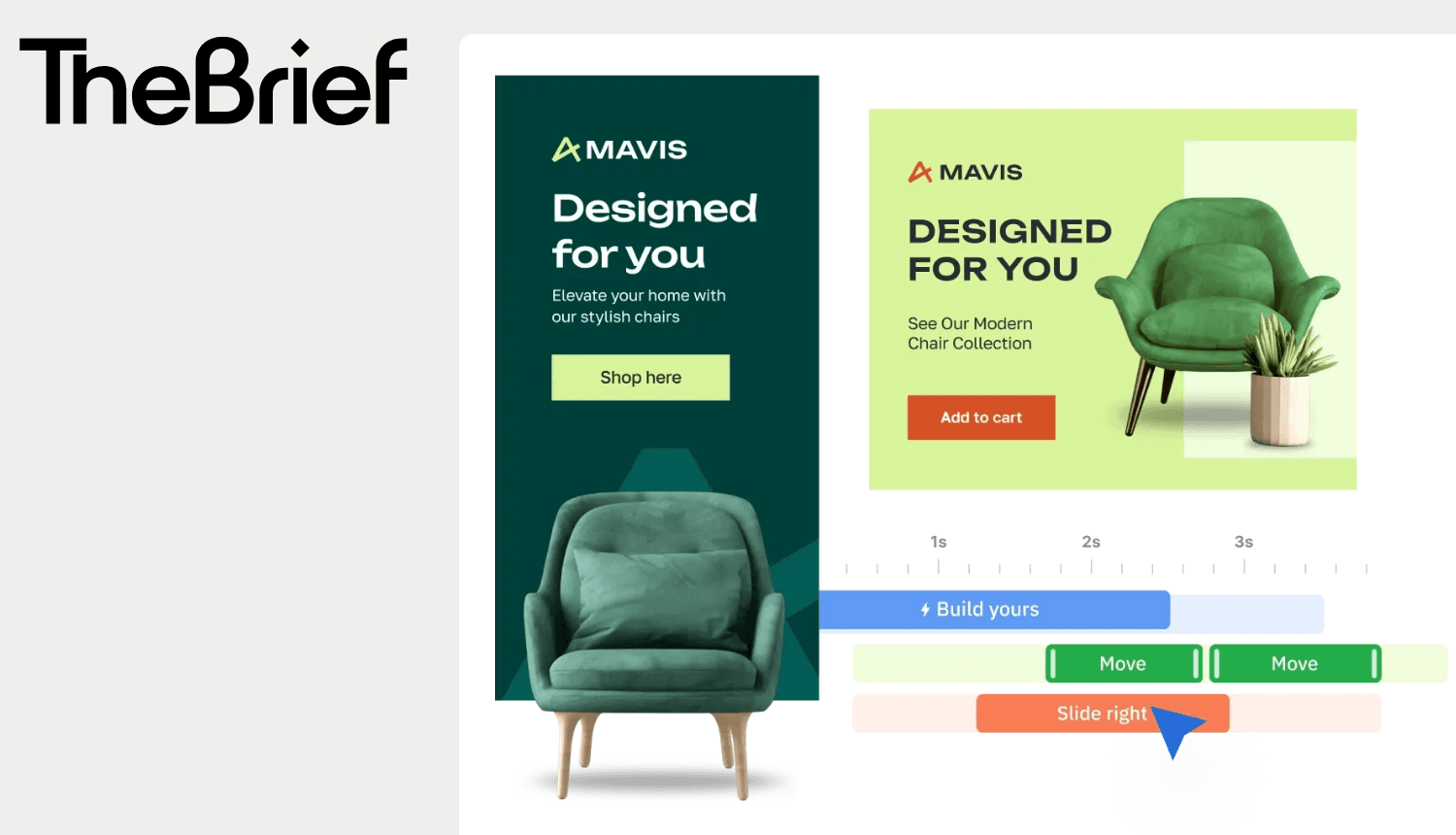
An AI-powered creative automation platform and ad serving system built to run multi-size animated campaigns without repetitive work. The workspace provides timeline animation tools for any skill level, moving from a single-click Magic Animator for instant automated motion to advanced timeline controls for absolute design precision.
Celtra
An enterprise creative management platform built for dynamic creative optimization across programmatic networks. It provides deep versioning control for massive global brands but carries a steep operational learning curve and a premium pricing structure that typically requires dedicated technical resources to manage.
Bannerflow
A display automation tool designed for in-house teams looking to produce and publish digital layouts internally. It excels at standard collaborative workflows for digital display banners but lacks a multi-tier animation timeline and native server-side tag generation for complex video placements.
Bannerwise
A lightweight banner creation tool focused on rapid HTML5 scaling and direct ad network integrations. It is highly effective for performance marketers handling pure display campaigns, though it lacks the advanced asset governance and unified dynamic testing suites required by scaling design teams.
Rocketium
Video and banner automation from data feeds. Rocketium works well for e-commerce teams with large product catalogs who want feed-driven creative.
Storyteq
Creative automation platform with localization features. Storyteq fits global brands adapting campaigns across languages and markets.
Smartly
Social and display creative automation with media buying built in. Smartly works for paid social teams managing creative and spend together.
AdCreative.ai
AI-generated ad creatives optimized for performance. AdCreative.ai fits lean teams who want fast creative output without dedicated designers.
Abyssale
Batch banner generation from templates. Abyssale works for teams producing high volumes of static and animated ads from structured data.
| Tool | Best for | Standout feature |
|---|---|---|
| The Brief | High-volume animated display and universal ad serving | Multi-tier animation timeline with live cross-network creative updates |
| Celtra | Enterprise programmatic asset versioning | Dynamic creative optimization rules for massive localized budgets |
| Bannerflow | In-house display design collaboration | Shared HTML5 template authoring workspace |
| Bannerwise | Performance display campaign scaling | Automated multi-format layout resizing across IAB dimensions |
| Rocketium | Feed-driven catalog creative automation | Bulk animation generation mapping from retail data sheets |
| Storyteq | Global campaign localization tracking | Dynamic text translation templates |
| Smartly | Paid social creative execution | Synchronous asset rendering linked to live ad spend |
| AdCreative.ai | Rapid template asset generation | Algorithmic performance prediction scoring models |
| Abyssale | Batch generation from static data trees | Multi-format asset programmatic production via API calls |
How to create an animated banner ad
Step 1: Define the campaign objective and audience
Before opening any tool, get clear on what you're trying to achieve and who you're reaching. A retargeting campaign for cart abandoners looks different from a brand awareness push. The objective shapes every design decision that follows.
Step 2: Build a master template on brand
Create or select a base design that follows your brand guidelines. This master becomes the source for all variants, so getting it right here saves rework later.
Step 3: Animate key elements with purpose
Animate the elements that matter: CTAs, headlines, product images. Subtle motion draws attention; excessive animation distracts. A pulsing button or a simple fade transition in some cases works better than flashy effects.
Step 4: Generate variants across IAB sizes
Resize the master into required ad dimensions. With the right tool, this happens in one click. Without it, you're rebuilding the same ad for every placement.
Step 5: Export to HTML5 or GIF for each ad network
Choose your format based on where the ad will run. HTML5 for display networks, GIF for email, MP4 for social. Watch file sizes, most ad networks have strict limits.
Step 6: Launch, measure, and iterate on performance
Publish to your ad platforms and track what happens. Use performance data to inform the next round of creative. The best campaigns aren't set-and-forget; they're loops of testing and refinement.
How AI is changing animated banner production
AI is reshaping the workflow in ways that matter for teams under pressure to produce more with less. Marketing teams with mature gen AI use have already achieved 22% efficiency gains they reinvest in growth.
- Auto-generation from briefs: AI interprets campaign inputs to produce initial creative concepts
- Smart animation: AI applies motion to static designs based on proven patterns
- Performance prediction: AI scores creative variants before launch
- Automated localization: AI adapts copy and imagery for different markets
The goal isn't to replace creative thinking. It's to handle the production work so marketers can focus on strategy and ideas that actually move results.
How to scale animated banner production across teams and markets
Producing high volumes without proportional headcount requires systems, not just tools.
- Centralized templates: Regional teams can create on-brand ads without waiting on designers
- Automated localization: Campaigns adapt for language, currency, and regional offers
- Role-based permissions: Controls determine who can edit what to maintain brand compliance
- Integrated approvals: Review workflows stay streamlined, especially for regulated industries like pharma and finance
Platforms like The Brief are designed for exactly this challenge—connecting creative production to governance so teams can scale without chaos.
Reclaim strategic creativity with an AI-powered banner workflow
The real cost of manual banner production isn't just time. It's the strategic work that never happens because your team is stuck resizing assets and chasing approvals.
If your team spends more time on production than on ideas that drive results, it might be time to rethink the tools.
Frequently asked questions about animated banner ad makers
How much does an animated banner ad maker cost?
Pricing ranges from free tools with limited features to enterprise platforms with custom pricing based on usage, seats, and integrations. Most mid-tier tools fall between $50-500 per month depending on team size and output volume.
Do I need design skills to use an animated banner ad maker?
Most modern tools offer templates and drag-and-drop editors that allow non-designers to create professional banners. Design experience helps for custom work, but it's not a prerequisite for producing on-brand ads.
What is the maximum file size for HTML5 banner ads?
Google Ads limits initial load to 150KB with additional assets loading after. Other networks have different requirements, so checking each platform's specs before exporting is worthwhile.
Can I generate animated banners from a product feed?
Yes. Many platforms support dynamic creative that pulls product images, prices, and descriptions from a data feed to auto-generate personalized banner variants at scale.
What is the difference between an animated GIF and an HTML5 banner?
GIFs are image files with frame-based animation and typically larger file sizes. HTML5 banners use code for smoother animation, interactivity, and smaller files, making them the standard for most display networks.
How many banner variants should I test per campaign?
Test enough variants to isolate creative variables like headline, imagery, and CTA. Quality hypotheses matter more than sheer volume. Three well-designed tests often outperform twenty random variations.
7 days free on us
Let's put these insights into action. Build, scale, and automate campaigns with AI-powered workflows.

