

Best LinkedIn Ad Banner Creators for B2B Campaigns in 2026
PUBLISHED JUNE 12TH 2026
LinkedIn ads live or die on creative quality, but most B2B teams are stuck waiting on designers to resize the same banner for the fifth time this week. That bottleneck costs more than time. It costs testing velocity, campaign momentum and the ability to optimize based on real performance data.
This guide covers LinkedIn ad specs, the features that actually matter in a banner maker and how the best tools on the market compare for B2B campaign workflows.
What is a LinkedIn ad banner maker
A LinkedIn ad banner maker is a design tool that helps you create visual ads sized specifically for LinkedIn's paid placements. Some are simple template editors where you swap out text and images. Others are AI-powered platforms that generate dozens of variants, enforce brand rules automatically, and connect directly to LinkedIn Campaign Manager.
For B2B marketers running demand gen campaigns on a platform forecast to reach $9.7 billion in ad revenue, the tool you pick affects how fast you can test creative ideas. When your design team is the bottleneck, campaigns slow down. When you can generate variants yourself, testing speeds up.

LinkedIn ad banner vs LinkedIn profile banner
This distinction trips people up constantly. A LinkedIn ad banner is paid promotional content that shows up in feeds, messaging or the audience network. A LinkedIn profile banner is the static header image on your personal or company page, sized at 1584x396 pixels.
If you're running paid campaigns, you want ad banners. If you're sprucing up your company page, you want a profile banner. Most tools handle both, but the specs and use cases are different.
LinkedIn ad banner sizes and specs
Getting dimensions wrong means rejected uploads or awkward cropping. Here's what LinkedIn accepts for each ad format:
| Ad Type | Dimensions | Aspect Ratio | File Types | Max Size |
|---|---|---|---|---|
| Single image ad | 1200x627 px | 1.91:1 | JPG, PNG | JPG, PNG 5 MB |
| Carousel ad | 1080x1080 px per card | 1:1 | JPG, PNG | 10 MB |
| Message ad | 300x250 px | 1.2:1 | JPG, PNG | 2 MB |
| Video ad | 1920x1080 px | 16:9 | MP4 | 200 MB |
Single image ad specs
Single image ads are the workhorse of LinkedIn advertising. The recommended size is 1200x627 pixels with a 1.91:1 aspect ratio. Headlines can run up to 70 characters before they get cut off, though shorter usually performs better in the feed.
Carousel ad specs
Carousel ads let you use 2-10 cards, each at 1080x1080 pixels. They work well for telling a sequential story or walking through multiple product features. Each card gets its own headline and destination URL, so you can send people to different landing pages.
Sponsored content specs
Sponsored content appears natively in the feed and follows the single image specs above. The difference is context. Because sponsored content blends with organic posts, creative that feels too "ad-like" often underperforms compared to content that looks native.
Message and conversation ad specs
Message ads use a smaller 300x250 pixel banner alongside your InMail content. Teams often overlook this format during creative planning, but a compelling banner can lift open and click rates noticeably.
What to look for in a LinkedIn ad banner creator
Not every banner maker fits B2B campaign workflows. Here's what actually matters when you're comparing tools.
AI-powered design and variant generation
The ability to generate multiple ad variations from one brief changes testing velocity entirely. Instead of waiting days for your design team to produce five variants, AI tools can generate dozens in minutes. That's how you run real A/B tests without creating a creative bottleneck.

Brand governance and compliance controls
For enterprise teams, especially in regulated industries like finance or pharma, brand compliance isn't optional. Look for tools that lock brand elements like colors, fonts and logos. This way, non-designers can create assets without accidentally going off-brand.

Template library built for B2B
Consumer-focused templates rarely translate to B2B contexts. You want templates designed for professional audiences with lead generation CTAs, industry-appropriate imagery, and layouts that communicate credibility.
Performance feedback and creative analytics
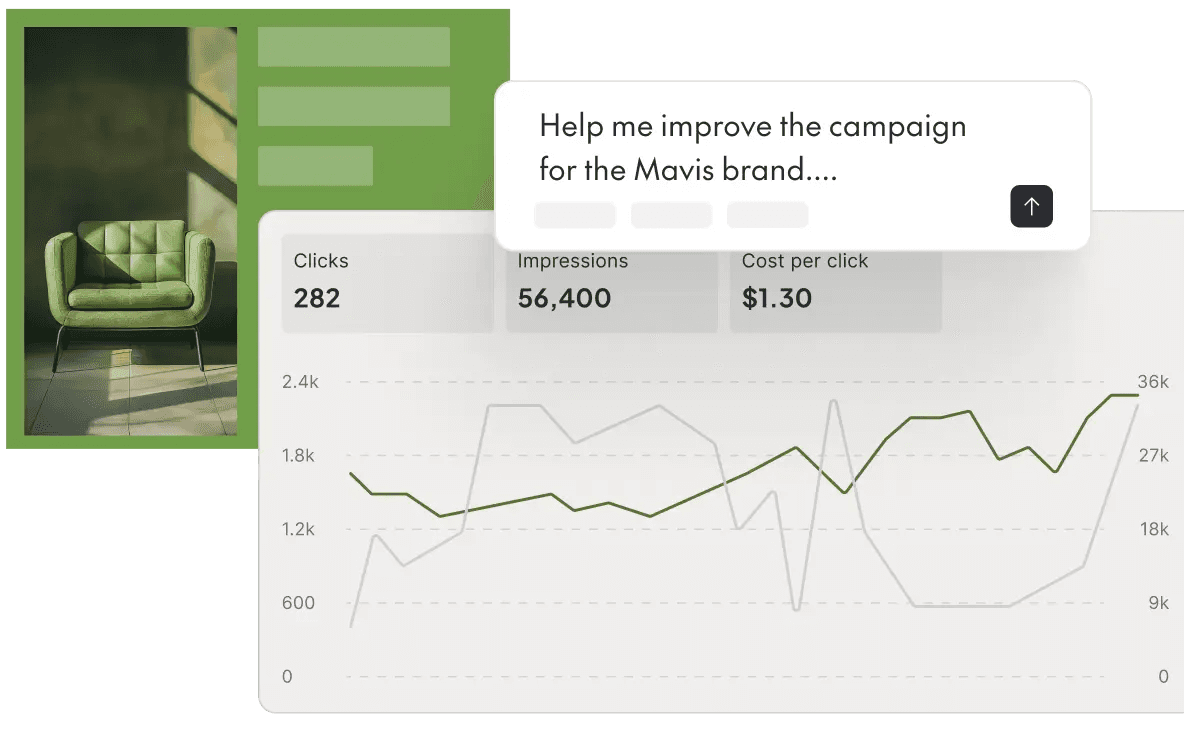
The most useful tools connect creative variations to performance data. When you can see which headline or image drove lower CPA, you're optimizing with evidence instead of guessing.
LinkedIn Campaign Manager integration
Manual downloading and uploading adds friction to every launch. Direct integrations with LinkedIn Campaign Manager skip that step, reducing time-to-launch and eliminating the risk of uploading the wrong file version.
Best LinkedIn ad banner creators for B2B campaigns
Each tool has distinct strengths depending on your team size, technical setup, and campaign volume. Here's how they compare.
The Brief
The Brief is an AI-powered marketing platform built for demand gen teams who want to scale LinkedIn ad production without bottlenecking creative resources. It generates multiple ad variants from a single brief, enforces brand governance automatically, and connects creative directly to performance data. The platform handles the repetitive production work so marketers can focus on strategy and testing.
Canva
Canva offers a user-friendly interface with free LinkedIn banner templates. It's accessible for individuals or small teams with basic design requirements. The brand kit feature on paid plans helps maintain consistency, though Canva lacks the automation depth that enterprise teams typically require.
Adobe Express
Adobe's lightweight alternative to Creative Cloud provides professional templates and brand kit features. It integrates with other Adobe products, which is helpful if your design team already works in that ecosystem.
Figma
Figma's collaborative design capabilities make it popular with design-led teams. The newer Buzz feature supports social content creation, though Figma remains primarily a design tool rather than a campaign production platform.
AdCreative.ai
AdCreative.ai takes an AI-first approach, generating ad creatives with performance scoring based on historical data. It's suited for performance marketers focused primarily on conversion optimization rather than brand building.
Smartly
Smartly is an enterprise ad tech platform with creative automation across multiple channels. It handles large-scale programmatic campaigns but comes with enterprise pricing and implementation complexity.
Celtra
Celtra focuses on creative automation for enterprise brands running dynamic ad production at scale. It's particularly strong for teams managing global campaigns with localization requirements across multiple markets.
Bannerflow
Bannerflow emphasizes display and social ad production with collaboration features. It's designed for agencies and in-house teams managing multiple brands simultaneously.
Rocketium
Rocketium offers data-driven creative automation for teams producing high volumes of personalized ad variants. It's especially useful when you generate creative from product feeds or dynamic data sources.
How to make a LinkedIn ad banner
The process is straightforward once you understand the workflow.
1. Choose a template sized for LinkedIn ad placements
Start with a pre-sized template to avoid manual resizing. Most tools offer templates at the correct dimensions for each LinkedIn ad format, so you don't have to remember specs.

2. Customize copy, imagery and brand elements
Swap placeholder content with your headline, value proposition, product imagery and brand assets. This is where brand governance features pay off because locked elements prevent accidental off-brand choices.
3. Generate multiple variants for testing
Create several versions with different headlines, images or CTAs. Even small changes can produce meaningful performance differences, and with ad fatigue compressing to 2–4 weeks, don't settle for a single version when you can test several.

4. Export and upload to LinkedIn Campaign Manager
Download in the required format and upload directly to your campaign. If your tool offers direct integration, you can skip the download step entirely.
How to scale LinkedIn ad banner variants for A/B testing
Here's where most teams hit a wall. Meaningful A/B testing requires volume. Testing two variants tells you almost nothing. Testing twenty variants across different headlines, images and CTAs? That's where real insights emerge.
The problem is that design resources become the bottleneck. You might have hypotheses to test, but if every variant requires a designer's time, velocity drops.
There are a few ways to scale variant production:
- Template-based scaling: Create one master design and swap headlines, images or CTAs systematically
- Data-driven automation: Feed product or audience data to auto-generate personalized variants
- AI variant generation: Use AI to produce multiple creative directions from a single brief
The Brief automates this scaling process, generating dozens of on-brand variants without requiring design team involvement for each iteration.

Tips for high-performing LinkedIn ad banner design
Creative quality still matters. Automation just lets you test more of it.
Lead with a sharp value proposition
B2B buyers scroll quickly. Your headline has to communicate clear value in seconds. Specificity beats cleverness almost every time because vague promises don't stop the scroll.
Design for mobile-first feeds
74% of LinkedIn time is on mobile. Text has to be readable at smaller sizes, and visual hierarchy has to work on a phone screen, not just a desktop monitor.
Match creative to audience segments
Generic creative produces generic results. Tailoring visuals and messaging to specific personas or industries typically outperforms one-size-fits-all approaches. A CFO and a marketing director respond to different messages. Learn more about how to create a buyer persona for your advertising campaigns to sharpen this targeting.
Tie every variant to a performance hypothesis
Frame each test as an experiment. Change one variable at a time and measure impact on CTR or conversion. Without a hypothesis, you're just making random changes and hoping something works. Tools that offer real-time analytics to improve campaign KPIs make this process significantly more rigorous.
Reclaim strategic control of your LinkedIn ad creative
The pattern is familiar. Your demand gen team has campaign ideas, but they're stuck waiting for design resources. Meanwhile, competitors launch faster, test more, and optimize while you're still in the production queue.
The Brief was built to eliminate that grind. By automating the repetitive production work like resizing, variant generation, and brand compliance, the platform frees your team to focus on strategy and creative direction.
Frequently asked questions about LinkedIn ad banner makers
Are LinkedIn ad banner makers free to use?
Many tools like Canva and Adobe Express offer free tiers with basic templates. Premium features like brand kits, AI generation, and direct integrations typically require a paid plan.
Can I design a LinkedIn ad banner with AI?
Yes. AI-powered tools like The Brief and AdCreative.ai generate multiple banner variants from a single brief, automating much of the design and iteration process.
What file format does LinkedIn require for ad banners?
LinkedIn accepts JPG and PNG files for static image ads. PNG is recommended for graphics with text or logos that benefit from crisp edges. For a full breakdown of every format and placement, see the complete LinkedIn ad specifications guide.
How do I add my company logo to a LinkedIn ad banner?
Most banner makers let you upload your logo and position it on the canvas. Some tools offer brand kit features that store your logo for easy reuse across designs.
Can I use Canva or Figma for LinkedIn ad banners?
Both offer LinkedIn ad templates and export files in the correct dimensions. However, they lack the automation and integration features of dedicated ad creative platforms built for campaign workflows.
7 days free on us
Let's put these insights into action. Build, scale, and automate campaigns with AI-powered workflows.

