

The state of ad creation 2026: AI, creative trends and performance data from The Brief
Jenna Black
Dec 20, 2025 - 12 min read
Creatopy is now The Brief.


Getting Meta ad specs wrong means your creative gets cropped, compressed or rejected — and you don't find out until the campaign is already live. It's the kind of detail that seems minor until it costs you a launch window.
This guide covers every Meta ad specification across placements, formats and text fields, plus templates and best practices for scaling creative without the manual resize grind.
Meta ad specifications are the technical requirements that determine how your ads display across Facebook, Instagram, Messenger and Audience Network. Each placement has specific dimensions, file size limits, format requirements and character counts. Get them wrong, and your creative gets cropped, compressed or rejected outright.
Here's a quick reference for the most common placements:
| Placement | Recommended size | Aspect ratio | File types |
|---|---|---|---|
| Feed (image) | 1080 x 1350 px | 4:5 | JPG, PNG |
| Feed (video) | 1080 x 1350 px | 4:5 | MP4, MOV |
| Stories/Reels | 1080 x 1920 px | 9:16 | JPG, PNG, MP4 |
| Carousel | 1080 x 1080 px | 1:1 | JPG, PNG, MP4 |
| Right column | 1200 x 1200 px | 1:1 | JPG, PNG |
| Marketplace | 1200 x 1200 px | 1:1 | JPG, PNG |
| Messenger | 1200 x 1200 px | 1:1 | JPG, PNG |
A placement is simply where your ad appears: in someone's Feed, between Stories, in Marketplace listings and so on. Each placement has a different viewing context, which is why the specs vary.
Feed is where most ad impressions happen. The recommended size is 1080 x 1350 pixels with a 4:5 aspect ratio. Why 4:5? It takes up more vertical space on mobile screens than square or landscape formats, which means more visibility as people scroll.
Maximum file size is 30MB for images. Meta accepts JPG and PNG formats.
Stories fill the entire screen, so they require vertical assets at 1080 x 1920 pixels (9:16 ratio). But here's the catch: interface elements like profile icons and CTA buttons sit on top of your creative.
That's where safe zones come in. A safe zone is the area where your content won't get covered by UI elements. For Stories, keep logos and important text roughly 250 pixels from the top and 250-340 pixels from the bottom.
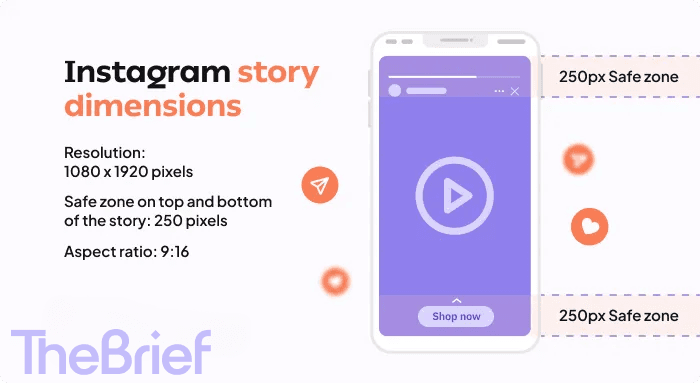
Marketplace has a browse-and-scroll layout similar to a product grid. Square format works best here: 1200 x 1200 pixels at a 1:1 ratio.
Messenger ads show up as small previews in the inbox. The compact preview context means square format (1200 x 1200 pixels) displays cleanly without awkward cropping.
Audience Network extends your ads to third-party apps and websites outside of Meta's own platforms. Because display varies by publisher, you'll want assets in multiple aspect ratios: 1:1, 4:5 and 9:16.
Right column is a desktop-only placement with smaller dimensions. The minimum is 254 x 133 pixels, though 1200 x 1200 pixels at 1:1 looks sharper.
Video ads have requirements beyond just dimensions. You're also dealing with duration limits, file size caps, codec specifications and thumbnail considerations.
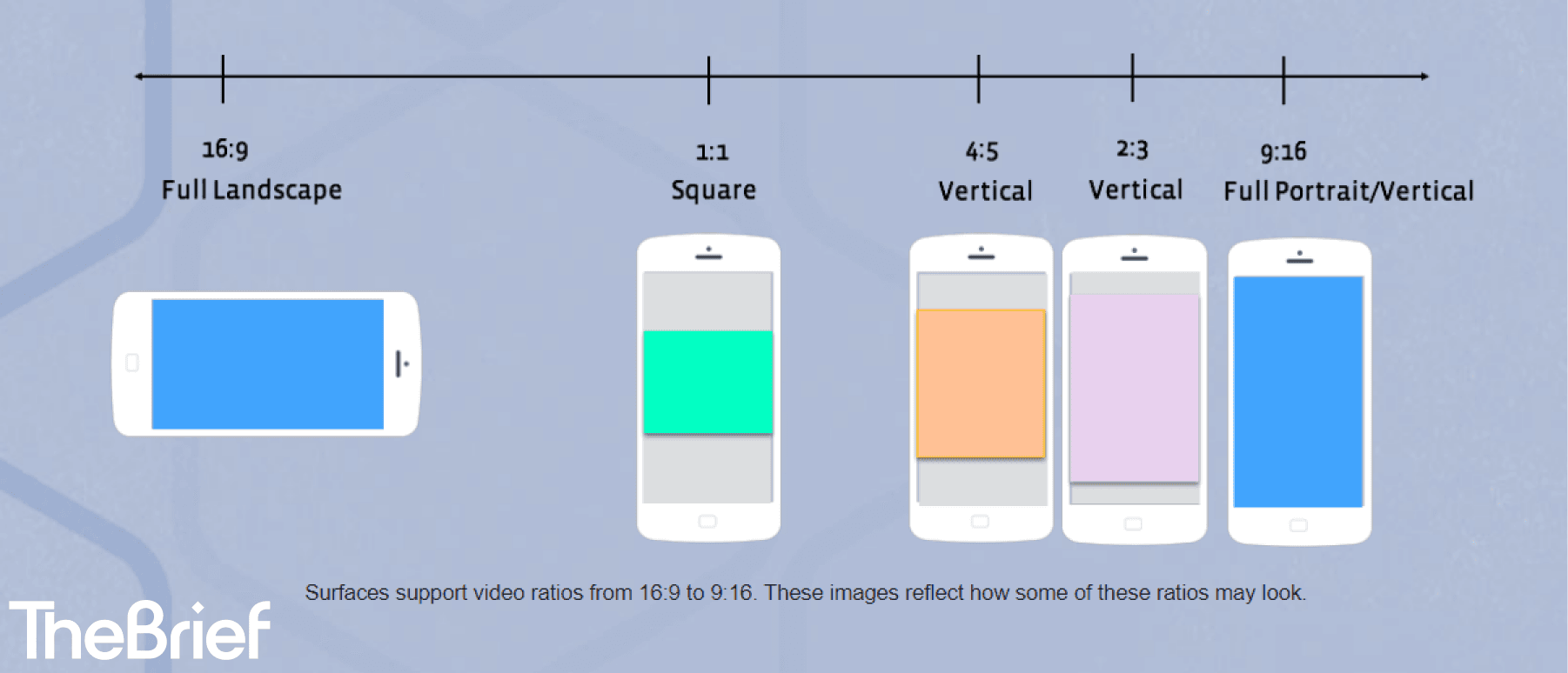
Feed videos perform best at 1080 x 1350 pixels (4:5). Maximum duration is 241 minutes, though shorter videos typically see better engagement. File size caps at 4GB.
Meta recommends H.264 compression with AAC audio. And since most people watch with sound off, captions make a real difference — boosting video view time by 12% according to Facebook's internal user behavior study.
Full-screen vertical formats are becoming increasingly important as user behavior shifts toward immersive content, with over half of Instagram ads now running in Reels. Stories and Reels have unique requirements worth understanding on their own.
Stories use 1080 x 1920 pixels at 9:16. Images display for up to 5 seconds by default. Videos can run up to 60 seconds, though 15 seconds or less tends to hold attention better.
Reels can run up to 90 seconds, and require 9:16 vertical format at 1080 x 1920 pixels.
One key difference: Reels favor audio-forward content. Silent Reels rarely perform as well as those with original audio or trending sounds.
Safe zones are the areas where your content won't be obscured by interface elements. For Stories and Reels:
In-stream ads play before, during or after other video content on Meta. They typically run 5–15 seconds and can use 16:9 landscape format since they often appear on desktop or TV placements.
Carousel ads let users swipe through multiple cards. They're useful for showcasing product ranges, telling sequential stories or highlighting different features in a single ad unit.
Each carousel card uses square format: 1080 x 1080 pixels at 1:1. Maximum file size is 30MB per card. All cards in a carousel share the same aspect ratio.
Video cards follow the same 1:1 square format. Each video card can run up to 240 minutes, though shorter clips (under 15 seconds) typically perform better in a swipeable context.
Carousels support 2–10 cards. The first card matters most because it determines whether users engage and swipe. Front-load your strongest creative or most compelling offer.
Text fields have strict limits. Exceed them, and your copy gets truncated. Here's what you're working with:
| Text field | Character limit | Best practice |
|---|---|---|
| Primary text | 125 visible | Front-load key message |
| Headline | 40 characters | Keep concise and action-oriented |
| Description | 30 characters | Use for supporting context |
Primary text appears above your creative. Meta shows roughly 125 characters before truncating with "See more." Your most important message belongs in those first 125 characters.
Headlines display below the creative and cap at 40 characters for optimal display. Longer headlines get cut off on mobile.
Description text appears below the headline, but not on all placements. Keep it under 30 characters and treat it as optional supporting context.
Meta no longer penalizes text-heavy images as strictly as before. That said, less text still performs better. Keep on-image text minimal and move detailed messaging to the primary text field.
Stop starting from scratch. Launching high-performing Meta ads requires great creative, but building every asset from a blank page eats up time and dilutes your focus.
At The Brief, we solve this with a dedicated library of professionally designed, Meta-specific advertising templates. Think of them as your creative shortcut—here’s exactly how to use them to build, test, and scale your campaigns faster.
Don’t waste hours on layout. Browse our template collection and select a design that fits your campaign goal—whether it’s driving traffic, promoting a sale, or boosting brand awareness. With a single click, you have a proven, on-brand structure ready for your content.

Get started with these high-converting Instagram Post templates.
Our templates are frameworks, not cages. Easily swap in your images, adjust colors to match your palette, and edit text to fit your message. This flexibility lets your team quickly produce a wide variety of creatives for A/B testing, ensuring you find what resonates best with your audience—without ever breaking your brand guidelines.
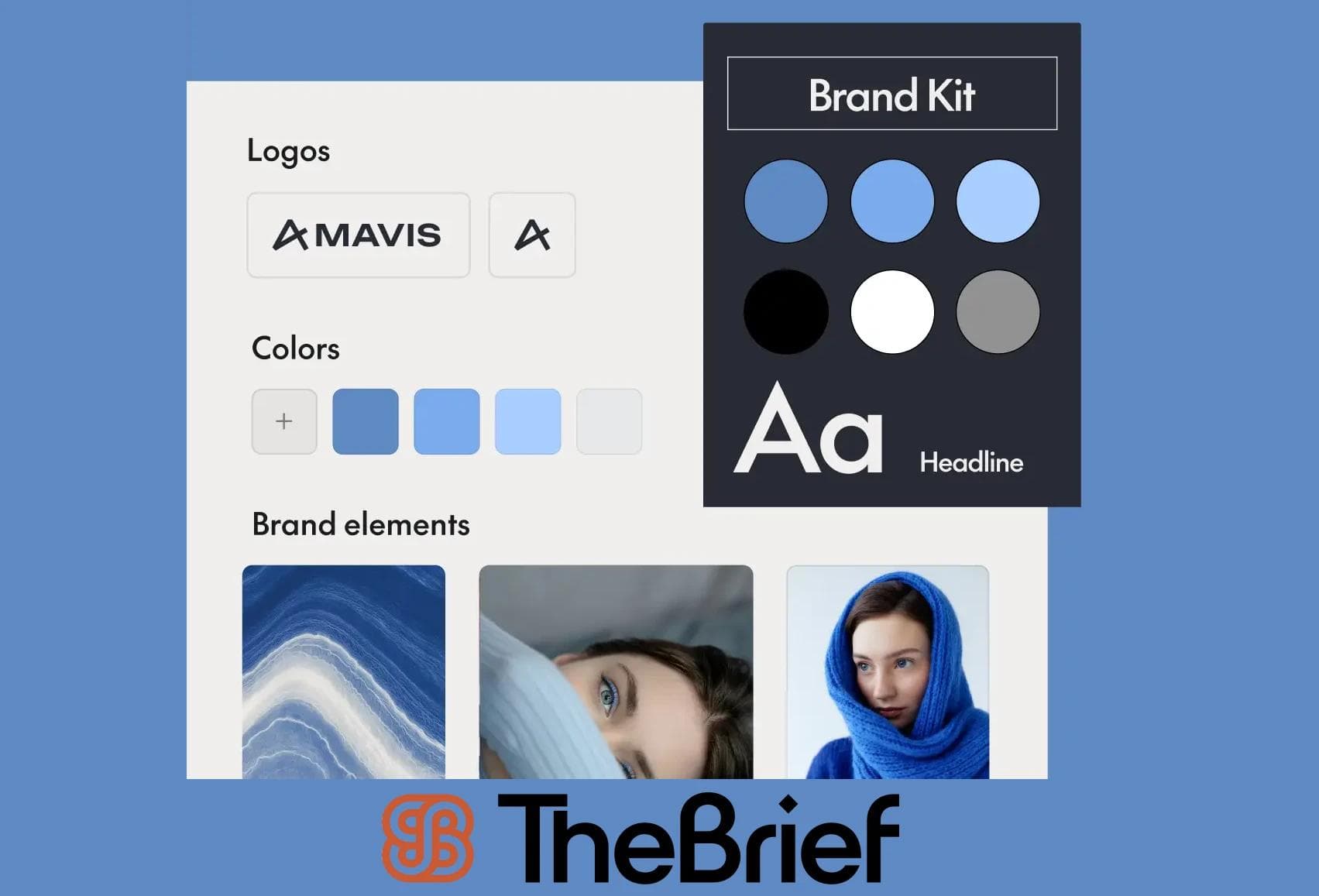
Whether you need a static image for the Feed, a video for Reels, a multi-frame Carousel, or a full-screen Story, we have you covered. Each template is pre-formatted to Meta’s specs, so your final ads will look polished and professional on every device and placement.

Craft captivating full-screen ads with these Meta templates.
These templates aren’t just about speed; they’re built with conversion principles in mind. Using clear visual hierarchies and proven design patterns, they help you create ads that guide the viewer’s eye to your call-to-action, giving you a built-in advantage for achieving higher click-through rates.
Select a template, customize it in minutes, and publish a professional, high-performing ad today.
Vertical formats capture more attention in mobile Feed environments. When you're unsure which aspect ratio to use, 4:5 is a safe default.
The vast majority of Meta ad impressions happen on mobile, where in-app advertising reaches $390 billion globally. Use larger text, clear CTAs and simple compositions that read well on small screens.
When creating assets for multiple placements, build in safe zones from the start. It's faster than fixing cropped content later.
Meeting minimum specs isn't enough. Higher resolution assets appear sharper and more professional. Design at recommended dimensions, not minimums.
Preview creatives in Ads Manager before launching. Better yet, use validation tools that catch spec issues automatically. The Brief handles spec validation as part of its automated workflow.
This happens when you upload images below recommended resolution. Always design at or above recommended pixel dimensions, not minimums.
You're not accounting for safe zones or placement-specific cropping. Keep critical elements within safe zones.
Usually caused by file size exceeding limits, unsupported codecs or incorrect formats. Compress your video and convert to MP4 with H.264 codec.
Using a single asset for all placements without considering aspect ratio differences causes this. Create placement-specific variants or use templates designed for automated resizing.
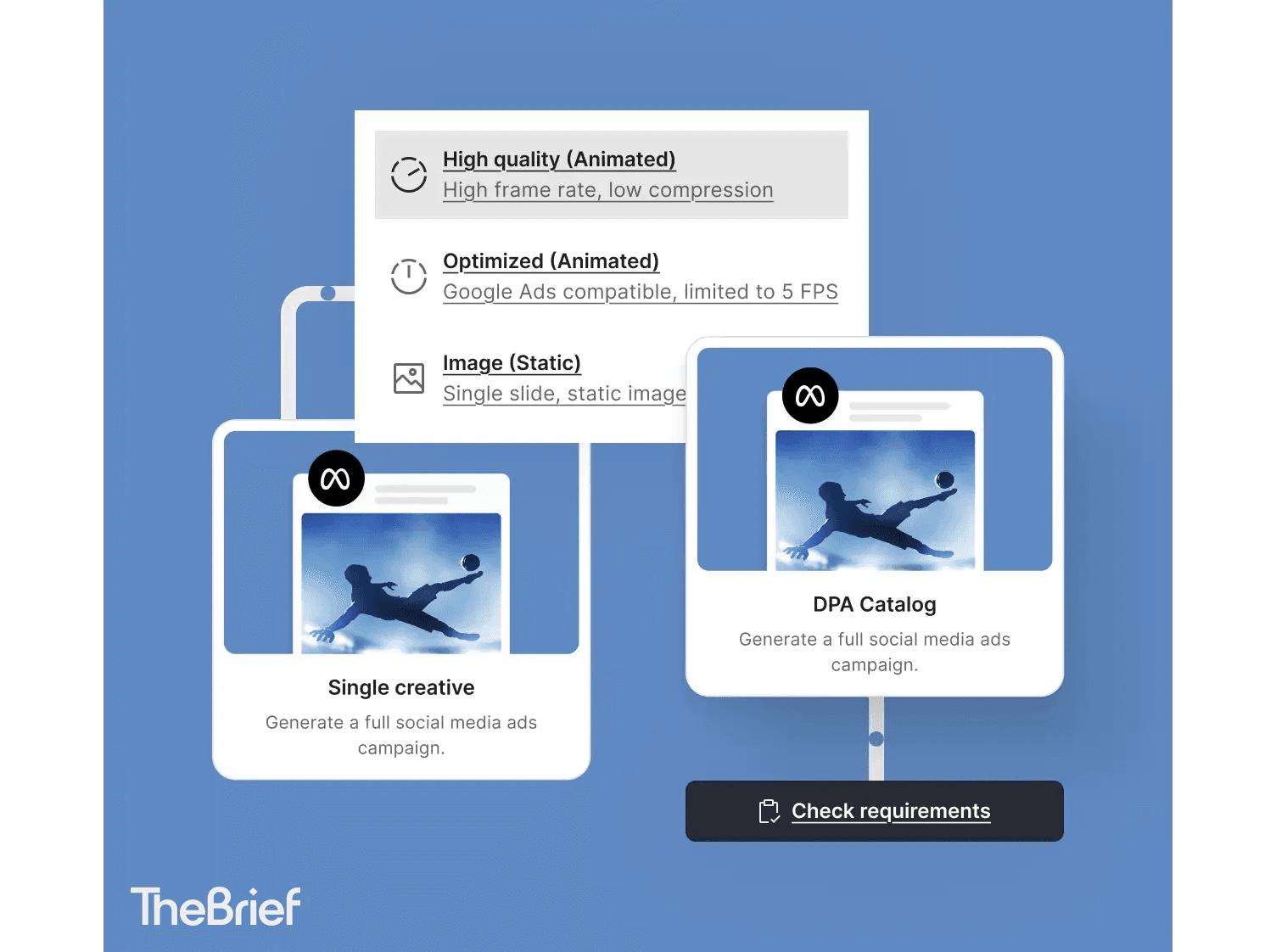
Tracking specifications across dozens of ad variants is tedious work. It's exactly the kind of production grind that pulls teams away from strategy and creative thinking.
The Brief's template system automates resizing, spec validation and multi-placement output. Instead of manually checking dimensions for every variant, you design once and let the platform handle the rest.
Yes. Meta is the parent company of Facebook and Instagram, so "Meta ad specifications" and "Facebook ad specifications" refer to the same technical requirements.
1080 x 1350 pixels with a 4:5 aspect ratio maximizes visible screen space on mobile devices.
While Meta allows automatic cropping, creating placement-specific assets or using templates designed for multi-format output produces better results.
Meta accepts JPG and PNG for images, and MP4 and MOV for videos with H.264 compression recommended.
Let's put these insights into action. Build, scale, and automate campaigns with AI-powered workflows.
Jenna Black
Dec 20, 2025 - 12 min read

Do Tromp
Jan 9, 2026 - 11 min read
.webp%3Fw%3D1125%26fm%3Dwebp%26q%3D70%26fit%3Dmax&w=3840&q=70)


